> ## Documentation Index
> Fetch the complete documentation index at: https://docs.hop.io/llms.txt
> Use this file to discover all available pages before exploring further.
# Project Tokens
> Project tokens allow you to create permission-based API keys to use with the Hop API or SDKs
Jump to:
[Creating Project Tokens](#creating-project-tokens)
[Using Project Tokens](#using-project-tokens)
## Creating Project Tokens
You can create project tokens through the Hop console. Navigate to "Project
Settings" on the left Sidebar, then "Project Tokens".
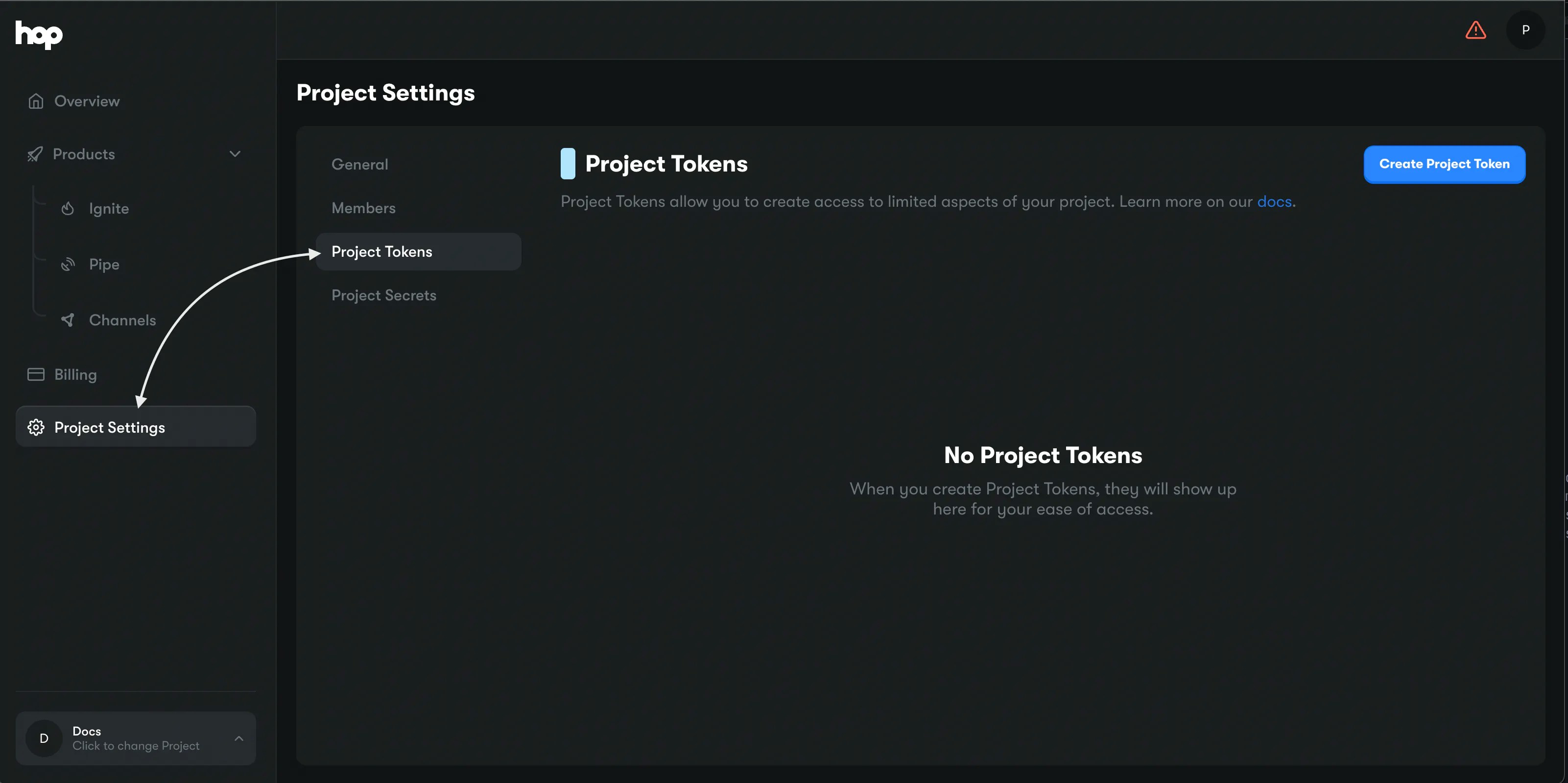 Next, click on "Create Project Token". You will be presented with a modal:
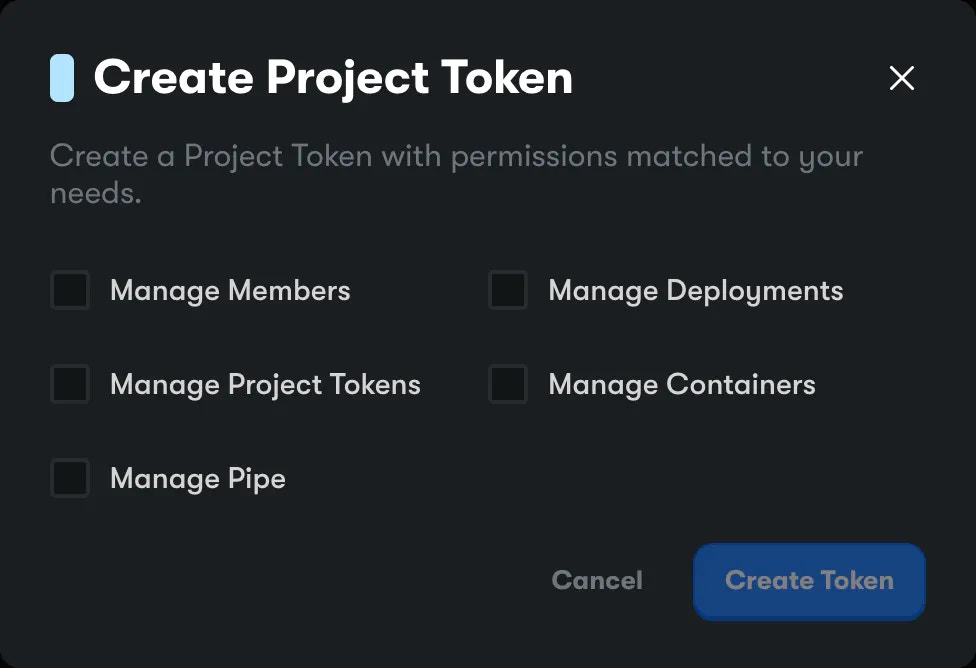 You can grant permissions to the token so it can only access certain aspects of
your project, for extra security.
Once you've selected the necessary permissions, click **Create Token**. It will
appear in your list of project tokens.
You can grant permissions to the token so it can only access certain aspects of
your project, for extra security.
Once you've selected the necessary permissions, click **Create Token**. It will
appear in your list of project tokens.
 You can now use the clipboard button to copy this token, and you're off to the
races!
## Using Project Tokens
You can use project tokens with our REST API and our server-side SDKs.
### SDKs
```ts TS theme={null}
import {Hop} from '@onehop/js';
const projectToken = 'ptk_xxx';
const hop = new Hop(projectToken);
```
```go Golang theme={null}
import (
"context"
"fmt"
hop "go.hop.io/sdk"
// types is a package that contains all of the types used by the Hop API
// and other utility helper functions
t "go.hop.io/sdk/types"
)
const HopToken = "ptk_xxx"
func main() {
c, err := hop.NewClient(HopToken)
if err != nil {
// Handle your error here!
panic(err)
}
}
```
### API
When making requests to `https://api.hop.io`, specify the project token under a
HTTP header named `authorization`. That's all!
You can now use the clipboard button to copy this token, and you're off to the
races!
## Using Project Tokens
You can use project tokens with our REST API and our server-side SDKs.
### SDKs
```ts TS theme={null}
import {Hop} from '@onehop/js';
const projectToken = 'ptk_xxx';
const hop = new Hop(projectToken);
```
```go Golang theme={null}
import (
"context"
"fmt"
hop "go.hop.io/sdk"
// types is a package that contains all of the types used by the Hop API
// and other utility helper functions
t "go.hop.io/sdk/types"
)
const HopToken = "ptk_xxx"
func main() {
c, err := hop.NewClient(HopToken)
if err != nil {
// Handle your error here!
panic(err)
}
}
```
### API
When making requests to `https://api.hop.io`, specify the project token under a
HTTP header named `authorization`. That's all!